What you get
The raw moment, ready to post your way.
Twitch and Kick moments land as horizontal MP4s, about a minute long, cut around what happened; TikTok lives arrive vertical. Download any clip as is, or vertical in one click (Glass, Letterbox or Fill) with your own text on top, or grab a whole folder as a ZIP.
Built for clipping live streams. If you want a podcast or a finished YouTube video cut into shorts, a video-in tool is the better fit.
Monitor any live streamer. We'll create the clips.
 clipping live+1
Drop in a Twitch, Kick or TikTok channel, or pick one from your follow list. The moment they go live, Parasocials catches every viral moment. No creator login. No setup.
I'm a solo developer.
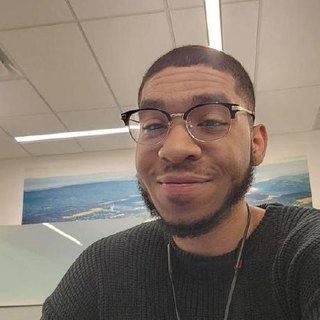 John Samelson Founder, Parasocials · @4parasocials on TikTok · GitHub · About
The Streamer's Dilemma
Every single stream, it's the same routine. A massive moment happens, the chat explodes, and the streamer looks at the camera: "Someone clip that. Did anyone catch it?"
Relying on a distracted chat to build your clips
The Legacy Tool Trap
Traditional tools treat clipping like an afterthought. They force you to wait for the VOD to process, manually scrub through hours of dead air, download a massive file, and edit it the next morning. By the time your clip hits the feed, the algorithm has already moved on.
So I built Parasocials. It watches streams the second they go live. It captures viral moments as they happen. The clips arrive in your dashboard — download one, or a whole folder as a ZIP, and post while it's hot. Some streamers mark their own highlights, and those land here too.
One note: clips only work on streams where the streamer allows clipping. Some restrict it to subscribers only.
“I can literally clip every streamer that I watch without even watching them. Then I can go through and pick the clips I like the most.”
 ClipGoatTurtleTikTok clipper, 80.3K followers · Parasocials referral partner
“Omg this is insane. It really makes having content to post so much easier. I didn’t have many clippers in my stream, and now I go here and pick the ones I want to edit and upload.”
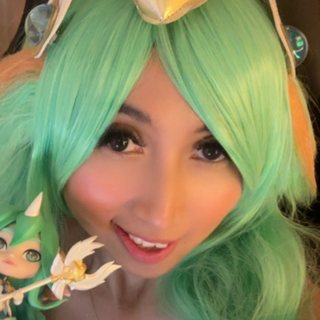 HoneeyBeeTwitch streamer · Parasocials sponsorship partner
Simple pricing. Start free.
Upgrade when you're ready to scale.
- 1 monitored channel
- 25 auto viral clips / week
- 25 harvest saves / week
- Direct publish to YouTube
- Downloads carry a small Parasocials mark
- Folder download as one ZIP
- 3-day clip history
- Favorites kept forever (up to 25)
- Folders
No card. Free, always.
- 5 monitored channels
- Upload a VOD, get the best moments auto-clipped — 15 hours / month
- 500 viral clips / day
- 500 harvest saves / month
- Clean downloads — no watermark
- Folder download as one ZIP
- 14-day clip retention
- Favorites up to 500
If you pay and change your mind, cancel from your account before renewal and nothing more is charged.
Questions people ask before they subscribe
- What counts as a viral clip?
- A big moment from a live stream, cut while the stream is still going. Parasocials watches the channel and saves a clip around each one, so your dashboard fills with the parts people would have clipped themselves. You pick the ones worth posting.
- Do I have to watch the stream?
- No. Add a channel and Parasocials watches it whenever it is live. Clips show up in your dashboard; download the ones you want, or a whole folder as a ZIP.
- Which platforms are monitored?
- Twitch, Kick and TikTok Live. Creator gets first access to new platforms as they are added.
- What happens after the 14-day trial?
- You land on the Free plan. Nothing is charged and there is nothing to cancel. Free keeps one monitored channel, 25 auto clips a week, downloads with a small Parasocials mark, and three days of clip history.
- Do I need the streamer's permission?
- Clips only work on streams where the streamer allows clipping; some channels restrict it to subscribers. A streamer can ask us to leave their channel out. Paid clipping campaigns name the streamers they want clipped.
- How does cancelling work?
- From your account page. Manage billing opens the Stripe portal, and you cancel there yourself, no email needed. Your plan runs to the end of the period you paid for and nothing more is charged.